Creating a CMS Website with Strapi and Next.js 15

In this blog post, I will show you how to build a CMS (Content Management System) website using Strapi as the back-end and Next.js 15 for the front-end
What is a Headless CMS?
A headless CMS is a content management system that provides an API to deliver content to any front-end application. The "headless" term means it only focuses on managing and delivering the content (back-end) without controlling how it is presented (front-end).
Key Features of a Headless CMS:
- Allows you to assign user roles:
- Admin: Can manage all content.
- Users: Limited permissions, like editing only their own posts.
- Developers no longer need to oversee or manually add new content. The CMS takes care of this automatically.
Why I Chose Strapi
I chose Strapi for the back-end because:
- It uses TypeScript and React, making it developer-friendly.
- It is easy to install and get started with minimal setup.
To start a new Strapi project, you only need to run this command:
npx create-strapi-app@latest backend --quickstart
Getting Started
To guide me through the process, I followed an excellent tutorial provided by Strapi: Build a Developer Blog with Strapi and Next.js. If you've previously built a REST server or have experience with relational databases like SQLite, working with Strapi will feel very familiar.
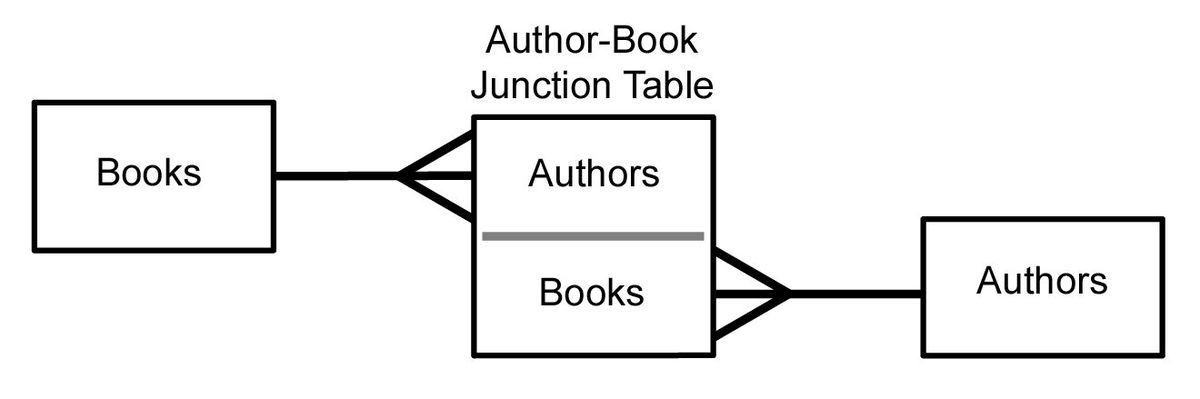
Concepts I Learned
What is a Slug?
While building this project, I learned about slugs. A slug is a unique identifier (UID) that is often based on the title of a blog post or content. It makes URLs user-friendly and helps with search engine optimization (SEO).

Example: For a blog post titled: "Creating a CMS Website with Strapi" The slug becomes: creating-a-cms-website-with-strapi
Challenges and Solutions
TypeScript Module Issues
During development, I faced a minor issue with TypeScript and Strapi modules.
Issue: The repository could not find the types for some modules used by Strapi.
Solution: Restarting the TypeScript server fixed the issue.
If you're using VS Code, you can restart the TypeScript server by pressing:
- Ctrl + Shift + P (Windows/Linux) or Cmd + Shift + P (Mac)
- Search for "TypeScript: Restart TS Server" and select it

What's Next?
In the next part of this blog series, I will show you how I built the front-end using Next.js 15 to fetch and display the content managed by Strapi.
Stay tuned to learn how to:
- Fetch API data using Next.js
- Create dynamic pages for blog posts
- Use modern React features like hooks
Conclusion
Strapi simplifies content management, and when combined with Next.js, you get a powerful setup for building fast, modern websites. Setting up Strapi is straightforward, and with tools like TypeScript, you can ensure type safety while working on your project.